gol33 Casino & Sportsbook Mobile App
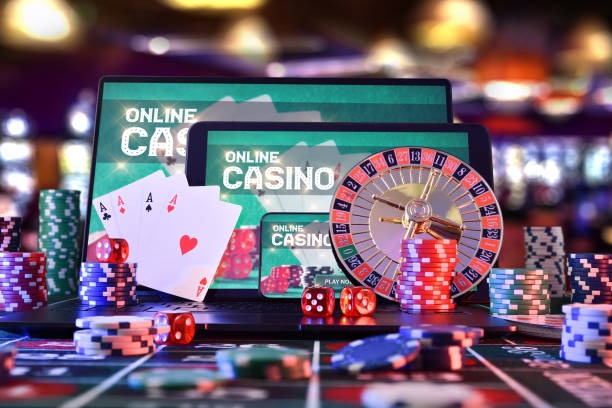
Our gol33 mobile app brings live-dealer tables and sportsbook betting to your phone without requiring a store download or lengthy setup. You can access blackjack, roulette, baccarat, and Dragon Tiger studios from Android, iOS, or any web browser on a device with internet access. The app is built to work on slower connections and uses minimal data, so you can play during downtime without worrying about your bandwidth limit.
- and
- LoginOTP Verification
- Installin
We designed the gol33 app for users who want instant access to football betting on Liga 1, Piala Indonesia, Piala AFF, Champions League, and other tournaments. The mobile interface scales to any screen size and keeps your account secure with two-factor authentication and encrypted login. Deposits and withdrawals use e-wallet, mobile banking, local payment, online payment, e-wallet, mobile banking, or bank transfers — all processed through trusted payment processors that protect your financial data.
This guide covers the three ways to access gol33 on mobile: native Android APK, iOS browser, and web app. We walk through installation, troubleshooting, and what you can expect from each platform. Our focus is on keeping your account secure and ensuring you understand the setup process before you start betting or playing.
How to access gol33 on your mobile device
Our gol33 platform offers three installation paths depending on your device. Android users can download an APK file directly from our secure server and install it outside the Google Play Store. iOS users open our web app in Safari or Chrome and can add a shortcut to the home screen for fast access. Web users on any device simply visit our site in a browser. All three paths lead to the same account and the same live-dealer studios, sportsbook markets, and slot games.

Installation paths for gol33
Android users need to enable installation from unknown sources in their device settings, then download the gol33 APK from our app page. The process takes two minutes and requires no app-store account. iOS and web users skip the download entirely — they open a browser, log in, and start playing. We recommend iOS users add gol33 to their home screen so the app icon appears alongside your other apps, even though it runs in the browser behind the scenes.
Installation step-by-step for gol33 Android
- Download the gol33 APK file from our app page to your Android phone.
- Go to Settings → Apps → Allow installation from unknown sources, then open the APK file to install.
- Open the installed gol33 app, enter your username and password, and verify your login with two-factor authentication if enabled.
- Choose your first game — live blackjack, a football match, or a slot game — and begin playing.
App vs. browser on gol33
The native gol33 Android APK app offers offline caching, which means some game graphics and menus load from your phone's storage even if your connection drops briefly. The app sends push notifications when a live-dealer table you follow goes live or when Piala AFF matches are about to start. Browser access (iOS and web) connects fresh to our servers each time but requires no installation and works on any device with a browser. Both paths stream live video from our dealer studios at the same quality and use the same underlying account. Choose the APK if you want persistent notifications; choose the browser if you prefer simplicity and no storage space required.
Device compatibility for gol33
Our gol33 app runs on Android 7.0 and newer. iOS users need iOS 12.0 or later to access the web app smoothly. Older devices may experience slow loading or video buffering. If your device has less than 100 MB of free storage, the Android APK may not install. Most phones from the last five years meet these requirements without issue. If you are unsure whether your device is compatible, try opening gol33 in your browser first — if it loads, the APK should install as well.
Common installation issues on gol33
If you see an "unknown app" warning when installing the gol33 APK, this is normal. Android asks you to confirm installation from non-store sources. Tap "Install anyway" to continue. If your phone says "certificate not trusted," this often means your device's date and time are incorrect. Check your phone's Settings → Date & Time and ensure it matches the current date. If the app crashes on startup, clear your phone's app cache (Settings → Apps → gol33 → Storage → Clear Cache) and try again. If the browser version is slow, try closing other apps to free up memory and restart your browser.
Data, permissions, and account security on gol33
The gol33 Android app requests permission to access your device storage (for offline caching), your internet connection, and optionally your notification settings (for push alerts). We do not access your contacts, camera, or microphone. When you log in, your username and password are encrypted before leaving your phone. Your account balance and transaction history are stored on our secure servers, not on your device. If you lose your phone, log out of gol33 in account settings and change your password immediately. Two-factor authentication (a code sent to your email or phone) adds a second layer of security. We recommend enabling it if you are betting or depositing regularly.
Key features on the gol33 app
- Live-dealer blackjack, roulette, baccarat, and Dragon Tiger with multi-camera feeds.
- Sportsbook betting on Liga 1, Piala Indonesia, Piala AFF, Champions League, and esports (Mobile Legends, Free Fire, PUBG Mobile).
- Slot games including Aviator, Sweet Bonanza, Gates of Olympus, Fortune Tiger, and Mahjong Ways.
- Deposit via e-wallet, mobile banking, local payment, online payment, e-wallet, mobile banking, or bank transfer (local payment, online payment, e-wallet, mobile banking).
- Two-factor authentication, password reset, and withdrawal review all in Settings.
Getting started and next steps on gol33
After you install gol33 and verify your account, you need to complete Know Your Customer (KYC) identity verification. Submit a copy of your national ID and a recent address proof (utility bill, bank statement, or rental agreement). This usually takes one business day to review. Once approved, you can deposit using any of our payment methods and begin playing.
Our live-dealer tables run twenty-four hours a day. Football matches follow Liga 1 and Piala AFF schedules, with additional coverage during international tournaments. Slot games are always available. If you have questions about a withdrawal or your account, contact our support team through the app. We respond to inquiries during standard business hours. Services are available only where local law permits — verify that online gaming and sports betting are legal in your jurisdiction before opening an account or depositing money.
Contact us through the app settings if you encounter installation errors, cannot log in, or have questions about deposits and withdrawals. We aim to respond during business hours.